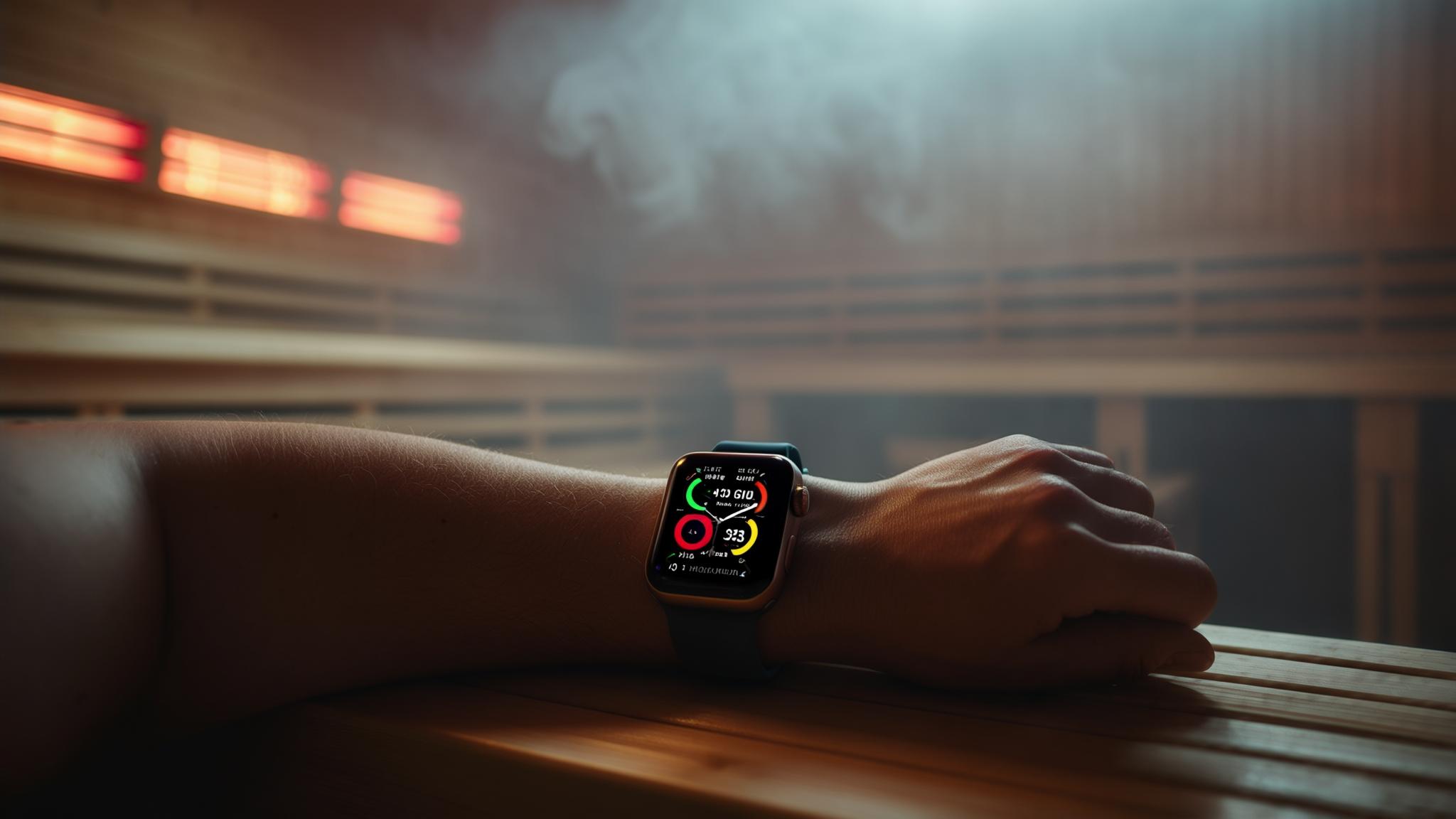
So there I was, sitting in my buddy’s backyard sauna, watching my Apple Watch flash that dreaded temperature warning for the third time that week. Sound familiar? If you’ve ever wondered whether you can actually use your Apple Watch in a sauna without frying it (or getting completely useless data), you’re in the right place.
Look, Apple basically says your watch works best between 32° to 95° F, which is way cooler than the 158°F to 212°F you’ll find in most saunas, as noted by Clearlight Saunas. But here’s what I’ve learned after months of trial and error, thermal shutdowns, and more than a few “why is my heart rate 200 BPM when I feel fine?” moments.

Table of Contents
- The Real Science Behind Your Apple Watch Melting Down (Or Not)
- Why Your Apple Watch Ultra Handles Heat Better Than You Think
- My Battle-Tested Sauna Protocol That Actually Works
- Turning Your Sauna Sessions Into Meaningful Health Data
- How HETKI Sauna Designs Work With Your Tech Goals
- Final Thoughts
TL;DR
- Your Apple Watch faces some real problems in saunas that go way beyond simple overheating – stuff expands differently, sensors go wonky, and steam creates issues that regular water resistance can’t handle
- The Apple Watch Ultra’s titanium case gives you roughly 10-15 extra minutes of sauna time before it taps out
- Warming up your watch to body temperature first and using airplane mode can seriously extend how long it actually works
- There’s a right way to cool down your watch after sauna sessions that prevents long-term damage
- If you stick with it, regular sauna use with Apple Watch tracking shows real improvements in heart health and sleep quality
The Real Science Behind Your Apple Watch Melting Down (Or Not)
Here’s the deal – understanding what actually happens to your Apple Watch in extreme heat isn’t just about temperature warnings. It’s about how different materials inside your watch basically start fighting each other, how sensors get confused, and why steam is way trickier than regular water.
Understanding the science behind heat exposure is crucial, especially when considering the differences between dry versus wet sauna environments and how they mess with your technology differently.
When Different Materials Fight Each Other Under Heat
Your Apple Watch is packed with different materials that grow and shrink at different rates when they heat up. The precision engineering that makes everything work smoothly at room temperature? Yeah, that becomes a problem when temperatures go crazy.
Why Aluminum Cases Stress Out More Than Steel Ones
I’ll be honest – I noticed my aluminum Apple Watch Series 8 gets uncomfortably warm way faster than my friend’s stainless steel model when we sauna together. Turns out there’s actual science behind this. Aluminum expands about 35% more than stainless steel when heated, which might sound like nothing, but when you’re talking about tiny, precise electronics crammed into a small case, that difference adds up to real stress on everything inside.
According to research from Clearlight Saunas, most modern technology starts having a bad time once temperatures hit 86°F, with many devices just giving up completely over 95°F – and that’s way below typical sauna temperatures of 158-212°F. Source: Clearlight Saunas
Your Digital Crown Might Get Sticky (And Why)
Ever notice your Digital Crown feeling weird after a particularly hot sauna session? That’s not your imagination. The tiny amounts of lubricant inside that precision mechanism change consistency when heated, and the metal parts expand just enough to make things bind up. I learned this the hard way when my crown started feeling gritty after several weeks of regular sauna use without proper cool-down.
Band Materials That Can’t Handle the Heat
Your band choice matters way more than you’d think. I killed my first Apple Watch band in about two weeks of sauna use. Turns out leather and 180°F don’t play nice together – the proteins in the leather literally change structure permanently. Sport bands start breaking down around 176°F when the stuff that keeps them flexible starts migrating out. I switched to a nylon sport loop after my leather band became stiff and cracked. Learn from my expensive mistakes.
| Band Material | Heat Tolerance | Sauna Compatibility | What Goes Wrong |
|---|---|---|---|
| Sport Band | Up to 176°F | Okay-ish | Gets weird and sticky |
| Leather | Up to 140°F | Terrible | Becomes stiff and cracks |
| Nylon Sport Loop | Up to 194°F | Pretty good | Barely any issues |
| Stainless Steel | Up to 212°F | Great | Just expands a bit |
| Titanium | Up to 212°F | Excellent | Handles heat like a champ |
How Heat Messes With Your Health Sensors
Apple Watch sensors get confused in sauna conditions, which affects how reliable your health data is during and after heat exposure. The heart rate sensors are especially drama queens about this.
Heart Rate Readings Go Wonky in the Heat
This frustrated me for weeks before I figured out what was happening. My heart rate readings during sauna sessions seemed completely off compared to how I actually felt. Turns out, the LED sensors that detect your blood flow shift their light output as they heat up. So my watch would show 180 BPM when I felt more like I was at 160. The readings can be off by 5-15%, which is a big deal if you’re trying to stay in specific zones.
Tech geeks have found creative workarounds for tracking sauna sessions despite Apple’s recommendations. As reported by “OSX Daily”, users are creating custom sauna workouts to properly track their heart rate data, with one user noting their heart rate reaches 135bpm while sitting in a very hot sauna (180°+) for 25 minutes or longer.
Steam vs. Dry Heat: Your Watch Knows the Difference
I discovered this accidentally when I switched from my usual dry sauna to a steam room. The watch kept losing contact with my skin, even though the band was snug. Steam changes how electricity moves through your skin in ways that confuse sensors designed for normal conditions. Dry heat is definitely easier on your watch.
Why Water Resistance Ratings Don’t Tell the Whole Story
Apple Watch water resistance ratings assume you’re dealing with liquid water pressure, not the weird challenges of steam and rapid temperature changes that happen in saunas.
Steam Finds Ways That Water Can’t
Water resistance ratings think you’re swimming in a pool, not sitting in a steam bath. Steam is a completely different beast. At sauna temperatures, steam creates pressure that can force moisture past seals designed only for liquid water. I learned this when I found condensation inside my watch face after a particularly steamy session – something that never happened during swimming or showering.
Think about it this way – taking your Apple Watch swimming exposes it to liquid water at maybe 70-80°F. A steam room combines high humidity with temperatures often over 100°F. Steam’s tiny molecules can sneak past seals that would easily keep out pool water.
Why Your Apple Watch Ultra Handles Heat Better Than You Think
The Apple Watch Ultra has specific improvements that make it better for sauna use, though it still has the same official temperature limits. Understanding these improvements helps explain why Ultra users report way better sauna experiences.
Titanium Makes All the Difference
The Ultra’s titanium case handles heat way better than aluminum models, keeping internal temperatures more stable and reducing shock during sauna transitions.
The Science Behind Titanium’s Heat Advantage
When I upgraded to the Apple Watch Ultra, the difference in sauna performance was immediately obvious. Here’s the nerdy bit: titanium conducts heat at only about 1/10th the rate of aluminum. What this means in real life is that the Ultra’s guts experience much more gradual temperature changes. Instead of rapid thermal shock, they get a gentler warming that extends operational time by 10-15 minutes in my experience.
According to XDA Developers, the Apple Watch Ultra models can be worn in saunas as long as the temperature stays below 130°F (55°C), giving users significantly more flexibility compared to standard models which should never be worn in sauna conditions. Source: XDA Developers
Components Built for Extreme Conditions
Apple didn’t just slap a different case on the Ultra and call it good. The internal parts are actually rated for wider temperature ranges. While regular Apple Watches start freaking out and throttling aggressively to protect components, the Ultra can operate closer to its actual limits. I’ve consistently gotten 15-20 minutes of full functionality in my 185°F sauna before any warnings show up.
How Regular Apple Watches Protect Themselves
Standard Apple Watch models have sophisticated systems to protect themselves, including trying to predict when you’re about to enter a hot environment and shutting down way before any real damage happens.
Your Watch Predicts Heat Before It Happens
Something I found fascinating: your Apple Watch actually tries to predict when you’re entering a hot environment. It uses motion sensors to detect movement patterns (like walking into a sauna) and starts reducing performance before the temperature sensors even register the change. This can buy you an extra 3-5 minutes of operation, though you might notice apps running a bit slower.
Battery Chemistry vs. Sauna Heat
Your battery takes a real beating in sauna conditions. At around 100°F, lithium-ion batteries lose about 20% of their capacity, and your watch knows this. It automatically limits power-hungry operations to prevent permanent damage. I always make sure to start sauna sessions with at least 80% battery because you’ll burn through power way faster than normal.
The Waiting Game: Recovery Time After Thermal Shutdown
Once your watch hits thermal shutdown, you need patience. The recovery isn’t just about cooling down – it follows a specific pattern to prevent condensation and stress. Even after the watch turns back on, some sensors stay in “reduced accuracy mode” for 15-20 minutes. I learned to plan for this recovery time rather than getting frustrated when readings seemed off right after cooling down.
The wearable tech industry is responding to extreme temperature use cases. Casio Japan recently launched a specialized sauna watch made entirely of resin materials to prevent skin burns, highlighting the growing demand for heat-resistant wearables as reported by “Design Boom”.
My Battle-Tested Sauna Protocol That Actually Works
Through months of trial and error, thermal shutdowns, and careful data analysis, I’ve developed approaches that actually work for using Apple Watch in saunas. These cover prep, monitoring, and recovery procedures that work in real-world conditions.
Developing a proper sauna routine requires understanding the science behind effective heat therapy, which is why I recommend following a structured sauna routine backed by scientific principles that can accommodate technology use.
Getting Your Watch Ready for the Heat
Proper prep can seriously extend your Apple Watch’s operational time in saunas and reduce stress on components through gradual warming and smart settings.
The Pre-Heating Trick That Actually Works
Here’s something most people skip that makes a huge difference: warming up your watch to body temperature before you hit the sauna. I wear mine against my skin for at least 30 minutes before heading in, avoiding air conditioning or cold environments. This gradual warming reduces the shock when you enter the hot environment. The difference is remarkable – instead of immediate stress, components warm up smoothly and I get way more operational time.
Think of it like warming up before a workout, but for your gadget.
The steps I follow religiously:
- Wear the watch against skin for 30 minutes minimum before sauna
- Avoid cold environments right before sessions
- Charge to 80% minimum (heat drains battery fast)
- Turn off background app refresh to reduce heat
Settings That Actually Matter in the Heat
Most people don’t realize how much their settings impact sauna performance. Here’s what makes the biggest difference:
Airplane mode is non-negotiable – radio signals generate serious heat. I set display brightness to minimum and timeout to the shortest setting. The Health app gets set to prioritize heart rate and temperature data since those matter most. Haptic feedback gets disabled completely because that little motor generates surprising amounts of heat when it’s working overtime.
Here’s my exact pre-sauna routine: airplane mode on, screen brightness to 10%, auto-lock to 15 seconds, all haptic feedback off, close background apps, and turn on Do Not Disturb. This configuration alone extended my usable sauna time from 8-10 minutes to 15-18 minutes consistently.
Staying Smart While You Sweat
Active monitoring lets you maximize data collection while recognizing early warning signs before your watch gives up completely.
Reading the Warning Signs Before It’s Too Late
Your watch tries to warn you before thermal shutdown, but the signs are subtle. I’ve learned to recognize slight changes in how haptic feedback feels and a barely noticeable shift in display color. These happen 2-3 minutes before shutdown, giving you time to either exit the sauna or at least save any workout data you want to keep.
Wrist Position Strategy That Maximizes Sensor Contact
Positioning matters more than you’d think. I rotate my watch to the inside of my wrist for better pulse readings, but loosen the band one notch for air circulation. Periodically lifting my arm to cooler air levels in the sauna helps manage temperature. The key is avoiding direct contact with hot sauna surfaces – learned that lesson when I accidentally rested my wrist on a hot bench and got a thermal warning within seconds.
The Cool-Down Protocol That Prevents Damage
Proper recovery procedures prevent long-term damage and ensure your sensors get back to giving you accurate readings.
The cooling phase is just as important as the heating phase, which is why understanding proper sauna and cold recovery techniques helps optimize both your health benefits and device longevity.
Why Slow Cooling Saves Your Watch
The biggest mistake I see people make is rushing the cool-down. Rapid cooling creates condensation inside the case and can cause stress fractures. My protocol is simple but crucial:
Remove the watch immediately when exiting the sauna, then allow 5 minutes of air cooling before any contact with cold surfaces. No cold water contact for 15 minutes minimum. I watch for any condensation under the display and wait for complete evaporation before putting it back on.
Getting Your Sensors Back on Track
Heat exposure throws off sensor calibration for 30-60 minutes after your session. I do a 10-minute walking calibration at room temperature, take a manual heart rate measurement for comparison, and reset Health app baselines if readings show consistent deviation. The key is allowing a full 24-hour settling period before relying on precision metrics for training or health decisions.
Users report that heart rates can reach up to 135bpm while sitting in very hot saunas (180°F+) for 25 minutes or longer, making proper data tracking essential for understanding cardiovascular responses to heat therapy. Source: OSX Daily
Turning Your Sauna Sessions Into Meaningful Health Data
The combination of consistent sauna practice and Apple Watch monitoring creates unique data patterns that give you insights into how your heart adapts, how well you recover, and how your heat tolerance develops over time. You just need to know how to interpret the data properly.
Understanding how heat therapy affects your body at the cellular level helps interpret your Apple Watch data more effectively, especially when considering the detoxification and cellular cleanup processes that occur during sauna sessions.
Tracking How Your Heart Adapts to Heat
Regular sauna use with Apple Watch monitoring shows real changes in heart rate variability, resting heart rate, and recovery patterns that prove your heat tolerance and heart fitness are actually improving over time.
Heart Rate Variability: The Hidden Adaptation Metric
After three months of consistent sauna use with careful Apple Watch monitoring, I noticed something pretty cool in my HRV data. The measurements taken before, during, and after sessions showed clear adaptation patterns. My parasympathetic recovery improved by about 18% over 6-8 weeks of regular use. The watch captured this progression beautifully, showing how my nervous system became way more efficient at handling heat stress.
Your Resting Heart Rate Tells the Real Story
What really convinced me of sauna’s heart benefits was watching my resting heart rate data over time. After three months of regular sessions, my Apple Watch showed a consistent 4 BPM reduction in resting heart rate during non-sauna periods. That’s a significant indicator of improved heart efficiency, and having the watch data to prove it made the adaptation tangible and real.
| Metric | Week 1-2 | Week 4-6 | Week 8-12 | Improvement |
|---|---|---|---|---|
| Resting HR (BPM) | 68 | 66 | 64 | -4 BPM |
| HRV Recovery | Baseline | +12% | +18% | 18% increase |
| Heat Tolerance (min) | 12 | 16 | 22 | +10 minutes |
| Recovery Time (min) | 45 | 35 | 28 | -17 minutes |
| Sleep Quality Score | 72% | 78% | 84% | +12% |
Sleep Quality: The Sauna Timing Sweet Spot
Apple Watch sleep tracking reveals when you should actually do your sauna sessions to get the biggest sleep quality benefits, and the timing variations are pretty dramatic based on your personal rhythm.
Evening Sessions: Timing Is Everything
My Apple Watch sleep data revealed something I never would have discovered otherwise: sauna timing dramatically affects sleep quality. Sessions 2-3 hours before bedtime increased my deep sleep by 15% on average. But sessions within an hour of bedtime actually messed up my REM cycles. The watch data made this pattern crystal clear over several weeks of experimentation.
Core Temperature Recovery: The Sleep Connection
The newer Apple Watches with temperature sensing opened up fascinating insights into post-sauna recovery. I discovered that when my core temperature recovered to baseline within 45 minutes, my sleep onset was significantly faster and overall sleep efficiency scores were higher. The watch data showed this correlation clearly, helping me optimize both sauna duration and timing.

Weekend vs. Weekday: Stress Response Patterns
The data from my Apple Watch revealed something unexpected about timing sauna sessions around my work schedule. Weekend sauna sessions showed 25% greater stress reduction benefits (measured through HRV) that actually lasted into the following week. Weekday sessions helped with immediate stress relief, but weekend sessions seemed to create a deeper reset that my watch could measure in my stress response patterns for days afterward.
My weekend sauna protocol works consistently: Saturday morning session at 10 AM (after coffee but before any strenuous activity), 20-minute duration at 185°F, followed by a 2-hour recovery period with light activity. The Apple Watch data consistently shows this timing produces the best combination of stress reduction, heart benefits, and sleep quality improvements that carry through Tuesday of the following week.
How HETKI Sauna Designs Work With Your Tech Goals
Look, HETKI Sauna gets it – you want to track your wellness data without turning your sauna into a tech lab. When I was planning my own sauna setup, I had this crazy idea that I could just ignore the whole Apple Watch situation and hope for the best. Spoiler alert: that didn’t work out.
When planning your sauna space, incorporating elements from authentic Finnish sauna design principles ensures you get both the traditional wellness benefits and modern technology integration you’re looking for.
The folks at HETKI actually understand that we’re living in this weird middle ground where we want authentic Finnish sauna vibes but also want to see our heart rate data afterward. They’re not trying to turn your sauna into a NASA control room, but they can design spaces that work with your tech habits instead of against them.
When I talked to them about my project, they suggested something I never would have thought of – temperature gradient areas. Basically, spots where you can ease your watch (and yourself) between hot and not-so-hot zones. It’s like having training wheels for your Apple Watch.
They can also build in little storage nooks where you can safely stash your watch during the really intense parts of your session. No more awkwardly trying to balance it on the bench while you’re sweating buckets.
The best part? They’re not trying to reinvent the sauna experience. They just make it so your modern life can coexist with this ancient practice without everything falling apart.
Want to chat with them about making a sauna that won’t fight with your Apple Watch? Hit up HETKI Sauna and tell them you’re tired of choosing between good data and good heat therapy.

Final Thoughts
Here’s the thing – after months of trial and error, thermal shutdowns, and more than a few “why is my heart rate 200 BPM when I feel fine?” moments, I’ve figured out that using your Apple Watch in a sauna isn’t really about beating the system. It’s about working with what you’ve got.
Yeah, your watch is going to complain about the heat. Yes, you’ll get some wonky readings. And absolutely, you’ll need to baby it a bit more than you’re probably used to. But if you approach it right, you can actually get some pretty cool insights into how your body adapts to heat over time.
The data I’ve collected over the past year has shown me stuff I never would have noticed otherwise – like how my resting heart rate dropped, how my sleep improved when I timed sessions right, and how my stress recovery got way better. That’s genuinely useful information that’s helped me optimize my whole wellness routine.
But here’s what I wish someone had told me when I started: don’t let the watch become the point of your sauna sessions. The best sessions I’ve had are still the ones where I forget about the data entirely and just focus on the heat, the quiet, and that amazing feeling of your stress literally melting away.
Your Apple Watch should be like a good workout buddy – there when you need it, but not constantly demanding attention. Use it to learn about your body’s responses, track your progress, and geek out over the data afterward. But when you’re actually sitting in that heat, let yourself just be present.
The sauna worked for thousands of years before we had wrist computers. The Apple Watch just helps us understand why it works so well.